[note] React 發佈到 Github pages 過程
Table of Contents

紀錄成功和失敗後找到解法的過程
過程全都是在專案資料夾內進行
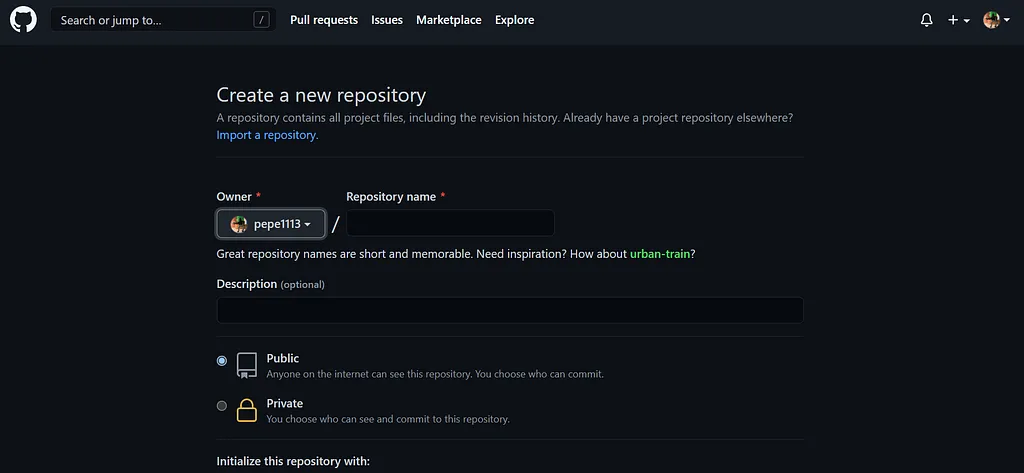
Github上新增專案
將專案推上github
//這段新增好專案後會出現:帳號名、檔名git remote add origin git@github.com:username/檔名.gitgit push -u origin masterpackage.json
{  "name": "realtime-weather-app",  "homepage": "https://myusername.github.io/my-app",  // 這個檔案的pages網址:帳號名、檔名
  "scripts": {    "predeploy": "npm run build",    "deploy": "gh-pages -d build",    // 添加上面兩個指令  }}
安裝gh-pages
npm install --save gh-pages發布
若檔案更新也需要重新發布
npm run deploy指向gh-pages
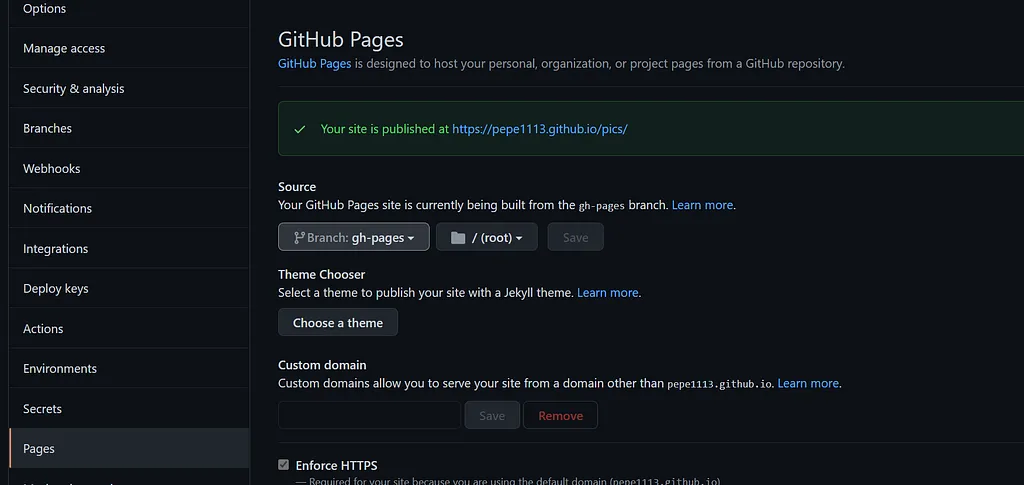
GitHub / Setting / Pages
Source的地方,改成 Branch:gh-pages
自己遇到的雷點
- API網站限制:要注意是否有限定網址需再做設定,做專案時可能只有設定local:3000
fetch:A branch named ‘gh-pages’ already exists
pakege.json script加上指令,刪除gh-pages快取,再跑一次清除的指令
"clean" : "gh-pages-clean"終端機
npm run clean重新安裝gh-page並發布
npm run deploy其他按讚數很高的解法
rm -rf node_modules/gh-pages/.cache手動刪除:Go to your project’s node_modules/gh-pages and delete ‘.cache’ folder.
"deploy": "gh-pages -d build"//這一行指令改成下面的指令
"deploy": "gh-pages -b master -d build",
add a script in package.json like this.
"clean" : "gh-pages-clean"So you’ll just need to do npm run clean next time the cleaning is required.
// 第一個改成這樣rm -rf node_modules/.cache/gh-pages/